Pin2Me: Pin Websites to Your New Tab Page
Pin2Me is a free browser add-on developed by JSiu.Dev that allows you to pin websites to your new tab page from any device and any browser. With Pin2Me, you can easily access your favorite websites without the need to search for them every time.
One of the main features of Pin2Me is the ability to import and export your pinned sites without the need to sign in. This means that you can easily transfer your pinned sites between different devices and browsers. You can also rearrange your pinned sites by simply dragging and dropping them.
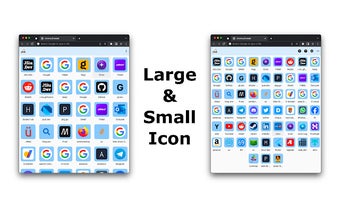
Pin2Me supports a dart/light theme and allows you to choose a large icon for your pinned sites. The add-on saves your pinned sites locally in your browser, ensuring that your data remains secure.
To manage your pinned sites, Pin2Me provides import/export support. You can apply settings from the editor box, copy to clipboard, save to a file (Pin2Me.json), and import pinned sites to your browser. The import/export feature also allows you to sync your pinned sites to your Google Drive's "AppData" folder if you are signed in.
Pin2Me comes with a few preset sites that cannot be changed but can be moved and removed. To remove preset sites, you can delete them one by one by opening the site settings and clicking "Delete," or you can remove all preset sites by accessing the advanced settings.
In the future, Pin2Me plans to add drag and drop functionality for importing pinned sites, support for more platforms, and the ability to pin websites from the web page context menu.
Overall, Pin2Me is a convenient browser add-on that allows you to easily pin your favorite websites to your new tab page and access them from any device and any browser.